

Last updated: Jun 23, 2026
TikTok’s feed personalization through algorithms has made it a lot more relatable for its viewers, which directly impacts the share rate. Every time a user scrolls through their feed and finds something entertaining or funny, they share it with family and friends. Esimatedly 21.7% of viewers use the TikTok direct message feature, and the rest of the people prefer to keep TikTok for their personal use rather than for messaging. But leaving messages unread might create pressure or sometimes a mistouch marks the messages as read, and not replying seems rude, so what do to resolve this issue?
TikTok read receipts, often referred to as “seen status” or “read status,” tell the sender that the other person has opened their message. If you are a creator, a business owner, or someone with a following to manage, you probably cannot find time to reply to all the DM’s that’s where the read receipts feature will help you out. You can turn off read receipts with just a few taps, giving you more control over your privacy and messaging behavior. Let’s look at the complete guide covering the step-by-step process to turn off read receipts.
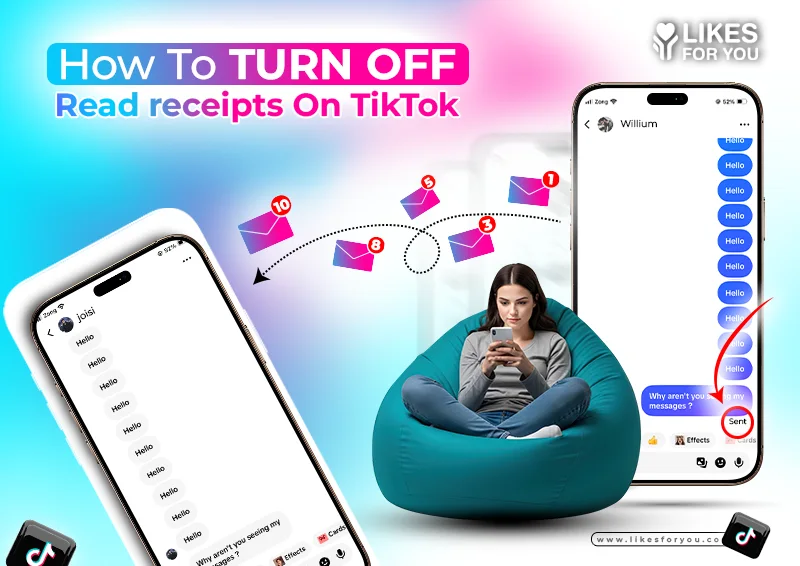
Read receipts on TikTok refer to the sign that lets you know that someone has opened your TikTok message. This feature can be enabled and disabled as per your personal preference. If the feature is enabled, you will be able to see “sent” or “delivered,” and then “seen” with a checkmark once the recipient opens the chat. This feature exists inside TikTok’s Messages tab, which is where you handle one‑on‑one and group conversations with your TikTok followers.
Creators often ask does TikTok have read receipts? The answer is “Yes,” but it is active when both parties have turned it on. This is a mutual feature allowing both parties to have their freedom on the app. By enabling the feature, you can also see when other people have read your messages. If you prefer privacy on TikTok rather than chatting, then let’s learn how to turn off seen on TikTok.
Turning read receipts off is straightforward and works on both Android and iOS. Here’s how to turn off read receipts on TikTok in a few taps:
Open the TikTok app, at the bottom right, your profile icon will appear, tap on it.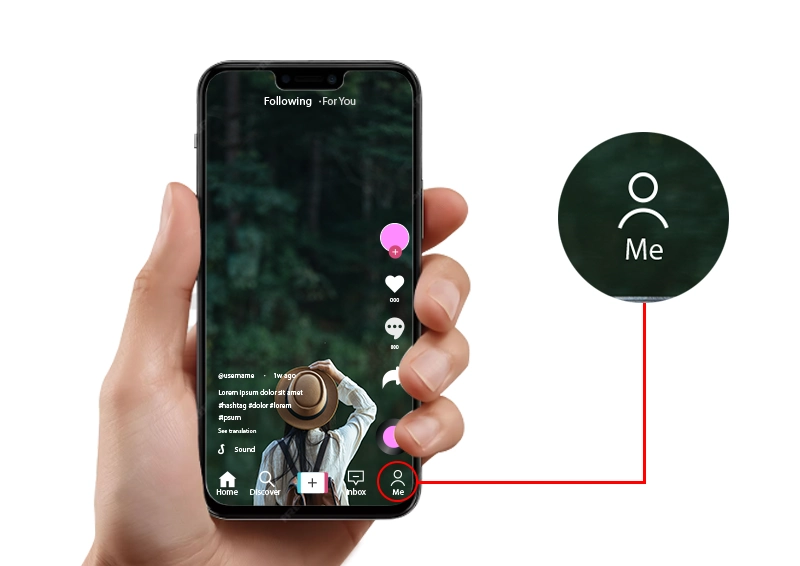
At the top right corner, the three-line menu icon will appear; tap it. 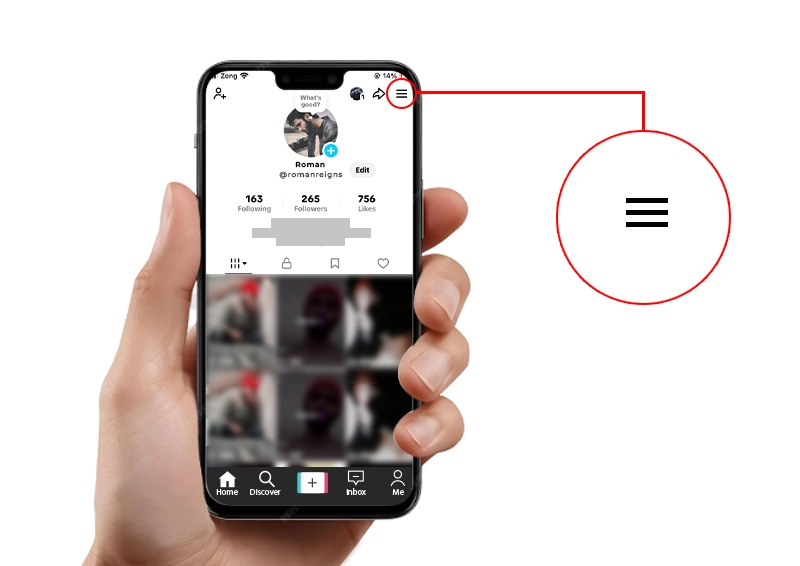
Then, go to Settings > Privacy.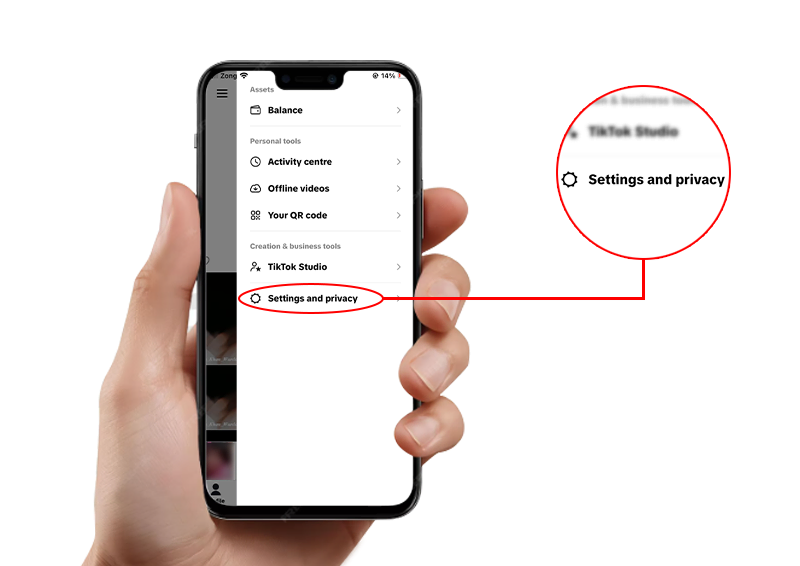
Tap Privacy and scroll down for direct messages.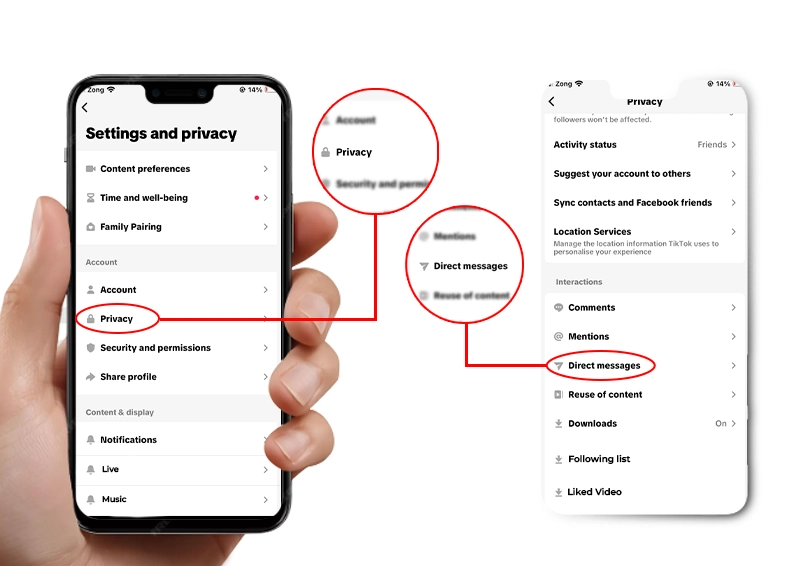
Next, find the toggle labeled Read Status or Read Receipts.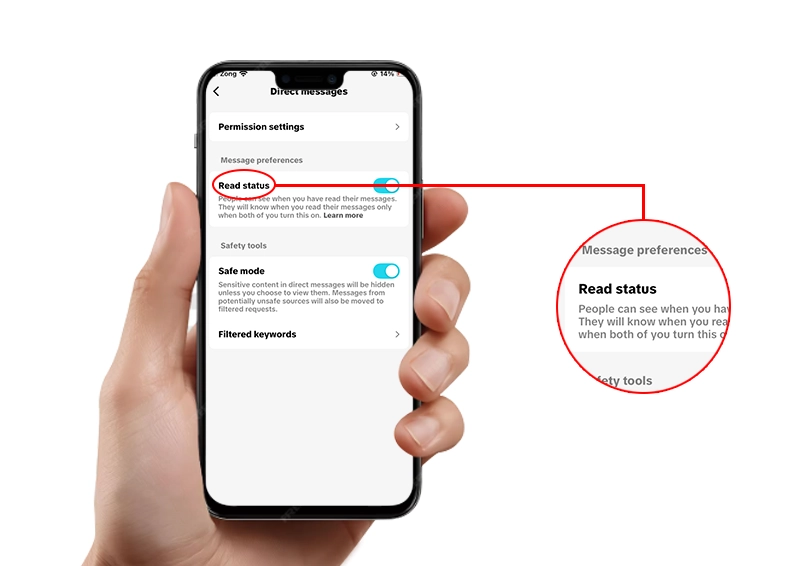
Tap it to turn off read receipts on TikTok.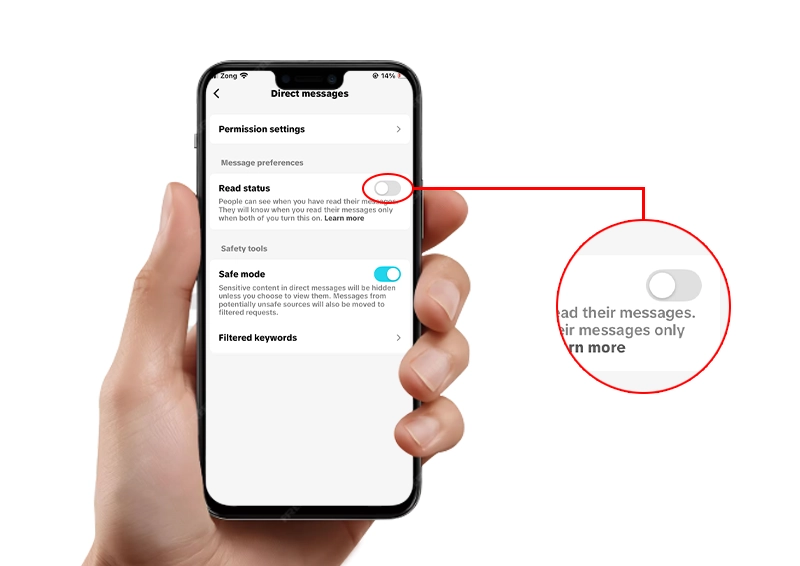
Once the feature is disabled, people will only be able to see the “sent” & “delivered” in their DMs. Even if you read the message, the chat status will still stay as “delivered.” If you want to conceal your activity further, you can turn off “activity status” from the menu.
There are several reasons creators and regular users choose to turn off read receipts on TikTok:
Reduced Pressure: Opening a DM does not always mean that you have time to respond to it properly. Turning off the read status will protect you from the unnecessary pressure of replying to the DM’s as soon as you open them.
More Engagement: For a creator who wants to get more views on TikTok and grow their TikTok account while still managing DMs, read‑receipt control is best for privacy.
More Privacy: You can have more privacy, uninterrupted scrolling time, and free will to see a DM whenever you feel like doing so, without the other person knowing about it.
Avoid awkwardness: Complex and sensitive messages must be taken into consideration before replying to them, and it might take some time to make the other person assure that you are ignoring the messages. Turning read receipts off on TikTok will save you from awkwardness.
Turning read receipts off on TikTok might not seem like a major step to increase TikTok engagement, but that's not true. It indeed helps you to grow on TikTok and support your growth strategy:
Strategic messaging: You can take your time reviewing collaboration offers, fan questions, or brand inquiries without feeling rushed. This will give you time to think with clarity so the response is thoughtful and professional.
Better content planning: When you are not worried about replying to the DMs as soon as you see them, it gives you more time to focus on making valuable content for your TikTok followers and maintaining a strong viewership.
Healthier mental boundaries: Constant “seen” tracking can create anxiety or guilt for not replying instantly, which can burn out creators trying to grow their TikTok account. Turning it off supports a more sustainable workflow.
Turning off read status changes how conversations feel, especially if you’re a creator who relies on TikTok engagement boost from your community. From a TikTok follower's perspective, they may wonder if you’ve truly seen their DM, even though the feature is just a visual indicator and not a response guarantee.
If you turn off read receipts, you also lose the ability to see when others have read your messages unless they have the setting on. This means you can’t always rely on visual confirmation that your TikTok direct message has been viewed. However, many creators still respond regularly, so the impact on engagement is usually minimal.
Balancing privacy and engagement can make you feel overwhelmed sometimes, but you must grow your TikTok account while taking care of your mental well-being. Turning off the read receipts can be balanced with keeping the comments section on under your public posts. This will give your audience a chance to connect with you.
If you work with brands and businesses, you can keep the read receipts on for specific chats and off for the rest. You can do so by going into settings and turning the read receipts “On” before opening the specific chat. Once you view a specific message, turn it off again. This will allow the collaborator to see that their message has been read, along with protecting your privacy and time.
In a nutshell, turning read receipts off on TikTok is not a complicated procedure; it can be done easily by performing the step mentioned in the blog. Turning it can give you space and time to think before responding to a message and also let you control the boundaries, which is crucial for mental health.
Although turning the feature off can make you feel a lot more relaxed, it can also impact your followers when not handled carefully. You must stay active in the TikTok comments section when you do not have time to respond in the DMs. It gives a signal to your followers that they are valued and heard. Use the feature wisely to boost your growth on TikTok.
To turn off seen on TikTok, go to Profile, three‑line menu, then Settings and Privacy, tap on direct messages or message preferences, then turn off the toggle Read Status / Read Receipts.
Yes, TikTok does have read receipts in TikTok Messages. They appear as “seen” once the recipient opens the chat, but only if both users have the read status feature enabled.
Use the same steps above: open your Privacy settings, choose Direct messages, then flip the Read Status toggle off. This turns read receipts off globally across your account.
No, the other person is not notified that you’ve disabled read receipts. They will simply stop seeing a “seen” status for your messages, even if you open the chat.
Yes. You can re‑enable Read Status in the same Direct Messages section whenever you want. It’s an all‑or‑nothing toggle, so it applies to all TikTok direct message conversations.
Table of Content

Jordan Calloway
Jordan Calloway is a social media growth strategist with seven years of expertise in TikTok content optimization, monetization, and algorithmic research. Having worked directly with brands and independent creators across the USA and UK, Jordan focuses on strategies that produce measurable results, not vanity metrics. This page reflects both platform research and real-world testing from working inside active TikTok growth campaigns.
If you've been posting on TikTok for months and your follower count looks fine, but your bank accoun...
In 2026, not every post on TikTok is a video anymore. Sometimes, a good TikTok text post can make a...
You’re not going crazy because your follower count hasn’t increased during the past year...

NOW ENJOY DISCOUNT ON EVERY PURCHASE
